
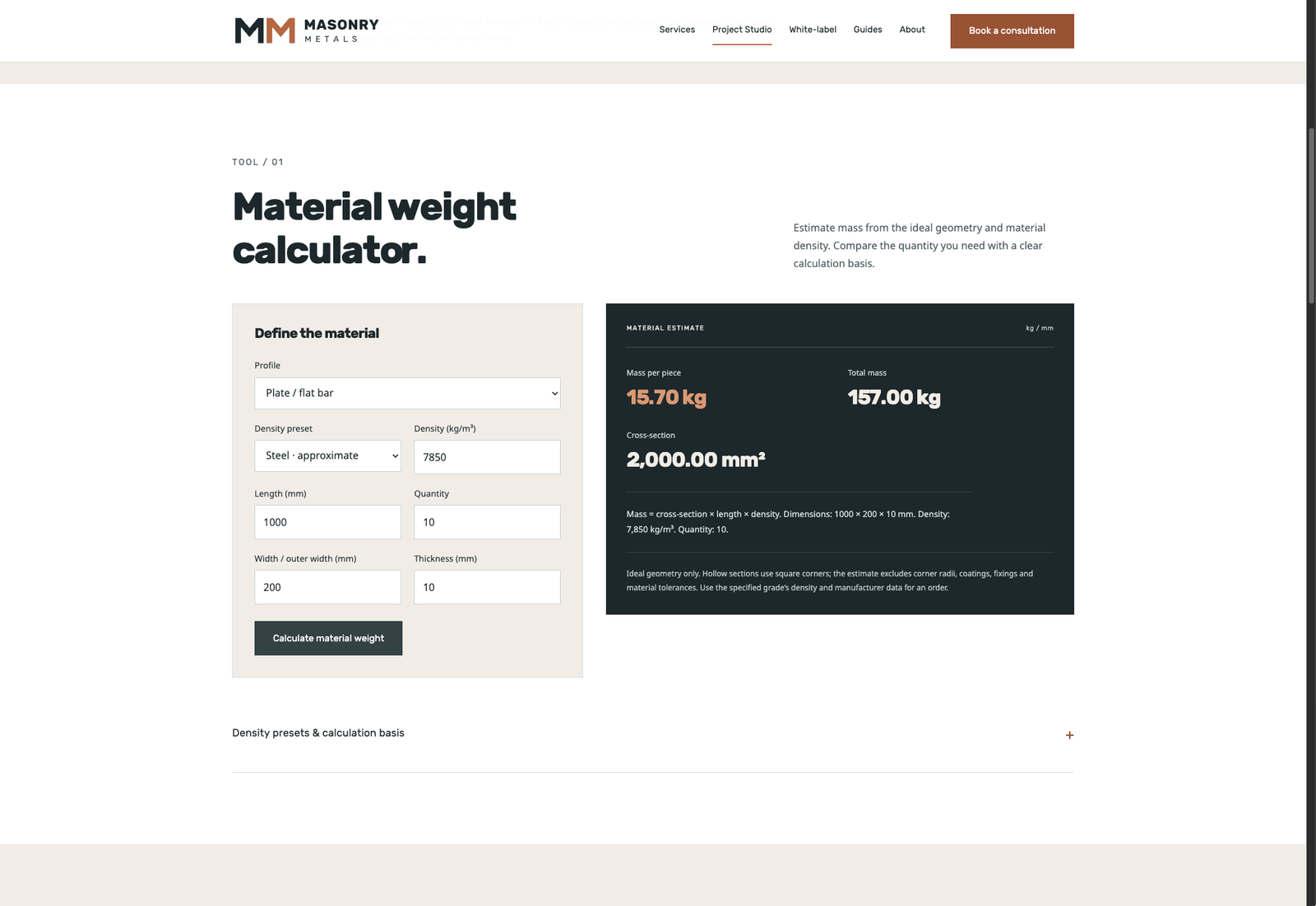
PROJECT STUDIO / WEIGHT
Material weight
Compare material mass and quantities, with the dimensions and density behind the estimate.
Try the live toolBring practical digital tools into your own business. Branded calculators, CAD concept interfaces and project enquiry workflows, scoped around your customers and the service you provide.
A calculator or drawing tool can help a customer arrive with a more useful brief. A consistent brand and enquiry journey makes it feel like part of your business.
Our white-label service adapts project planning tools to your identity and the requirements you want customers to define. Begin with the inputs, the outputs and the next step that should follow.
The Masonry Metals Project Studio is a working example of that approach: branded interfaces, live calculations, downloadable concept geometry and a planning summary that can become an enquiry.
See the tools in action MASONRY METALS / PROJECT STUDIOLIVE TOOLS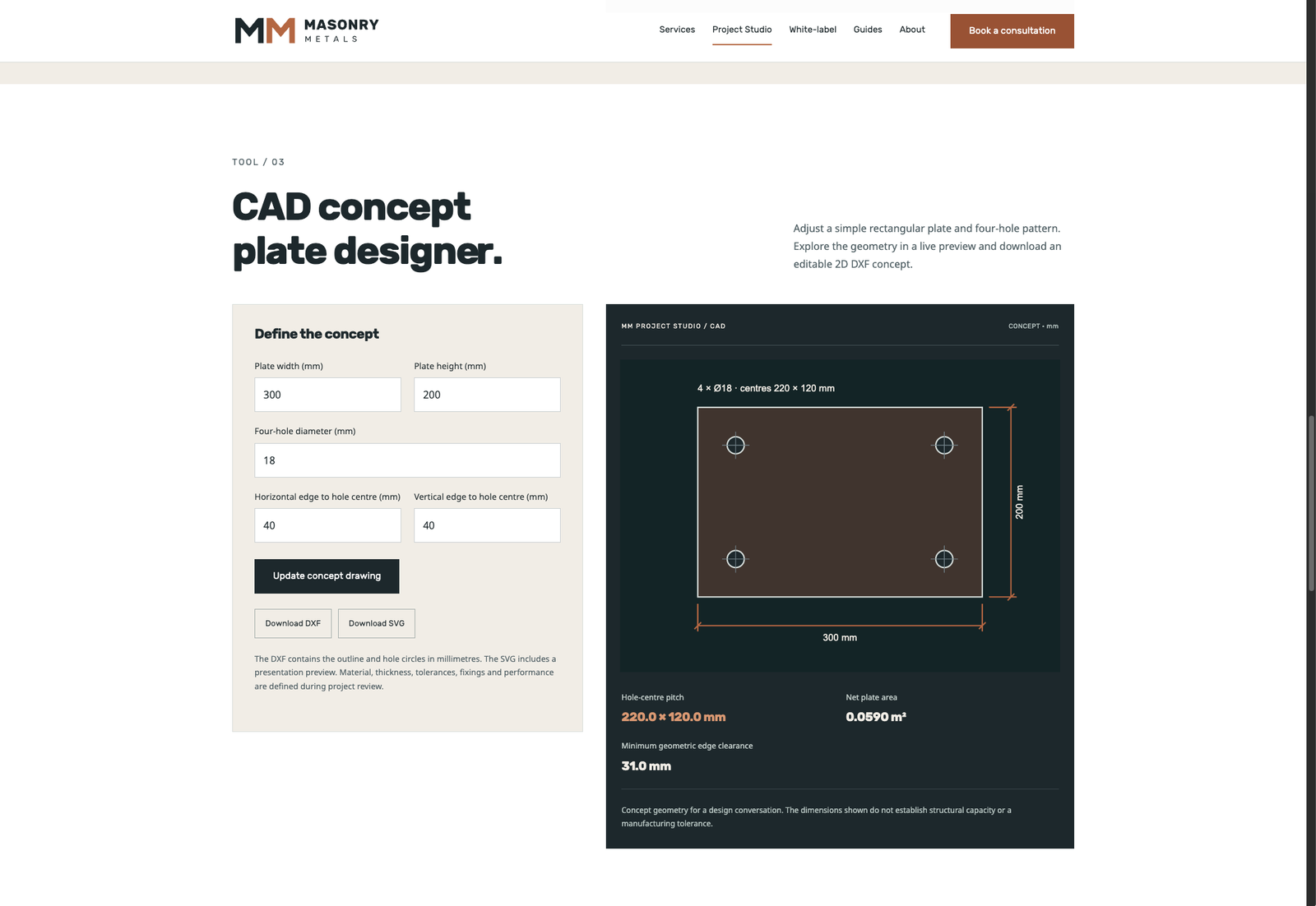
These screens show our own branded tools. Your white-label brief defines the identity, customer inputs, result metrics and handoff your business needs.
Compare material mass and quantities, with the dimensions and density behind the estimate.
Try the live tool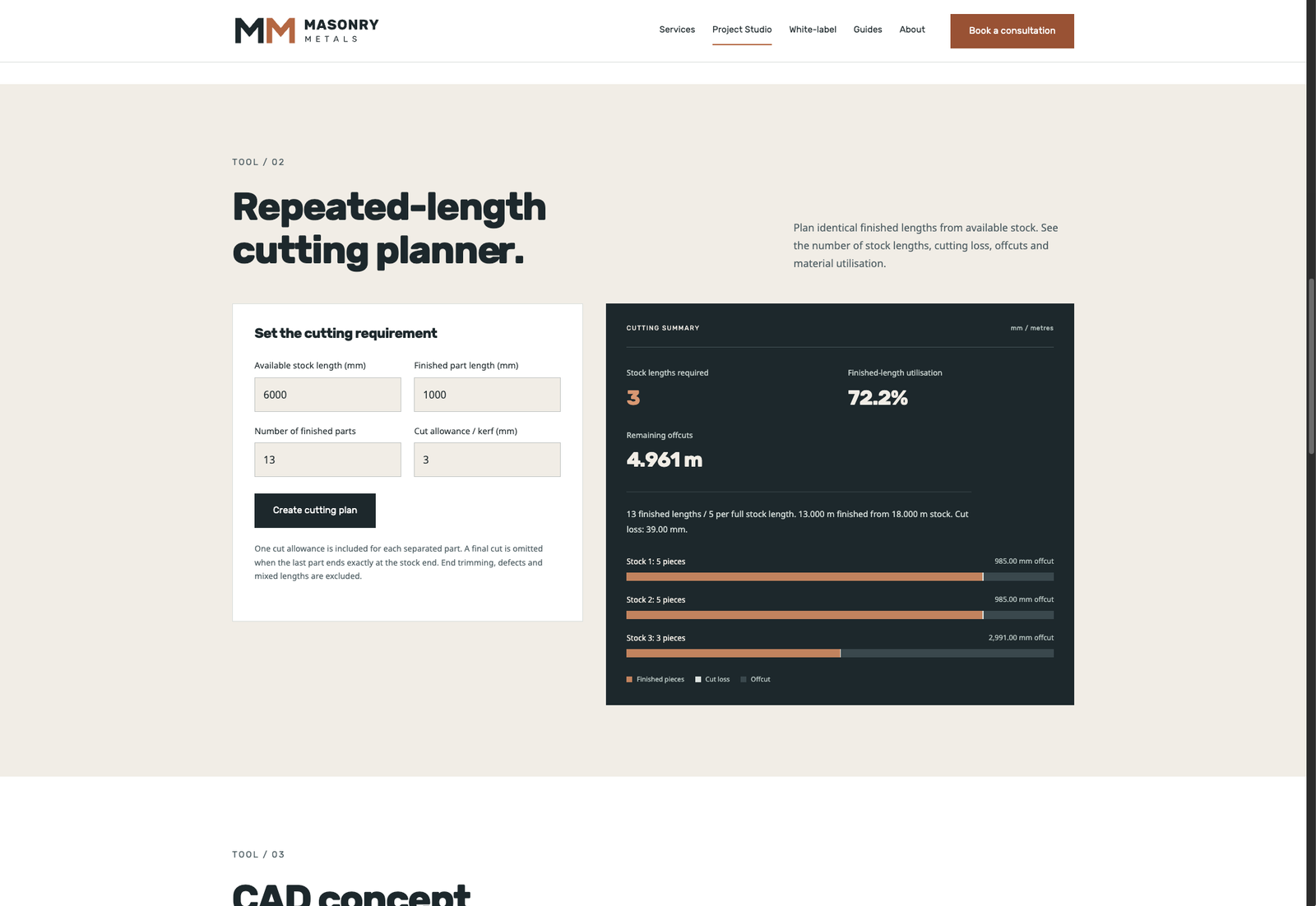
See stock quantities, cutting loss, offcuts and finished-length utilisation in one view.
Try the live toolActual Project Studio screenshots, shown with illustrative input values. Select a screen to open the full image.
Define the useful customer task first. Then agree the features, branding and workflow needed to support it.
Adapt material, quantity, dimensional and planning calculators to the inputs your customers understand. Use your terminology, labels and the calculation assumptions agreed for the tool.
Explore a scoped dimensional drawing interface, live geometry preview and downloadable concept files. Define the component families and drawing outputs the customer journey needs.
Turn tool outputs into a project summary that customers can review, download and use in an enquiry. Agree the fields, contact route and information needed by your team.
Discuss a dedicated branded workspace or tools integrated into a website. Deployment, domain requirements and any connection to existing systems are defined as part of the agreed scope.
Your name, logo, colours and typography, with a consistent interface across the tool and the enquiry journey.
Your supported dimensions, material assumptions, units and terminology. Define the boundaries and the information needed to interpret each output.
Agree the result metrics, downloads, concept geometry and project brief fields, together with the action the customer should take next.
Agree where the tools will run, the scope of support and how changes to features or assumptions will be managed.
| Area | Information to bring |
|---|---|
| Your business | Brand name, website, audience and the service the tool should support. |
| The customer task | What users need to calculate, draw, compare or prepare before they contact you. |
| Required inputs | Dimensions, materials, quantities, units and any agreed formulas or data sources. |
| Useful outputs | Metrics, visual previews, file formats, project summaries and the desired enquiry route. |
| Identity & delivery | Logo, brand references, target website or domain, programme and support requirements. |
Scope and pricing are confirmed around the individual toolset, integration and delivery requirements.
Agree the customer task, feature scope, calculation assumptions and outputs. Identify what already exists and what needs to be developed.
Shape the interface, branding and enquiry handoff around the brief. Review the inputs, results and behaviour against the agreed scope.
Confirm the delivery arrangement and review the tool on the intended website. Agree documentation, ownership, support and future changes.
Yes. The white-label brief can include your business name, logo, colours, typography and customer-facing terminology. The final identity and interface are agreed as part of the scope.
Specify the inputs, formulas, units and data sources your tool needs. We can then discuss the development and validation work required for those calculations.
Share the website, enquiry destination and systems involved. The integration approach and required access are defined before development, rather than assumed from a general request.
Pricing depends on the toolset, interface, development, integration and support scope. Send the customer task and required features to begin a scoped discussion.
Tell us what your customers need to calculate, draw or prepare. Start with the workflow and the result you want.